
Every Kobopress hosting package comes with a free wildcard SSL certificate, enabling you to use the more secure ‘HTTPS’ protocol to keep your site users secure. In most cases, the free SSL certificate is automatically activated on your hosting package.
To activate the SSL, your domain should either be registered with us, or you’ll need to make sure you’ve pointed the domain name to our nameservers.
With that done, you need to:
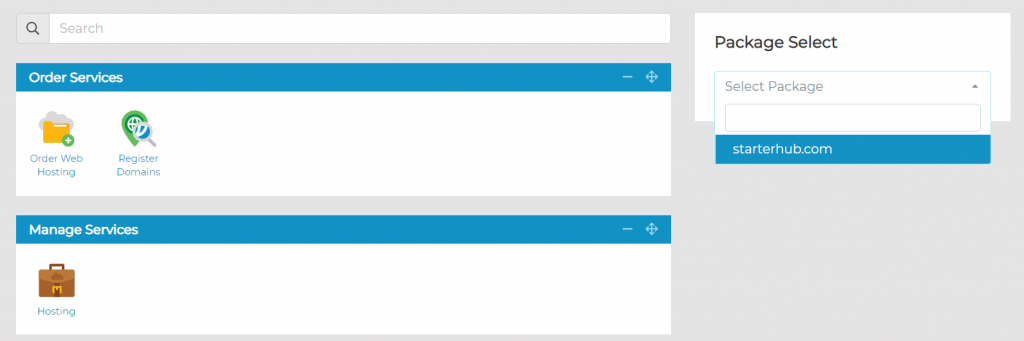
1. Visit your Client Area>Manage Services>Hosting; within Manage Hosting, select Manage on the hosting package on which you wish to activate the SSL. Or directly select the app/domain from Package Select (right sidebar):
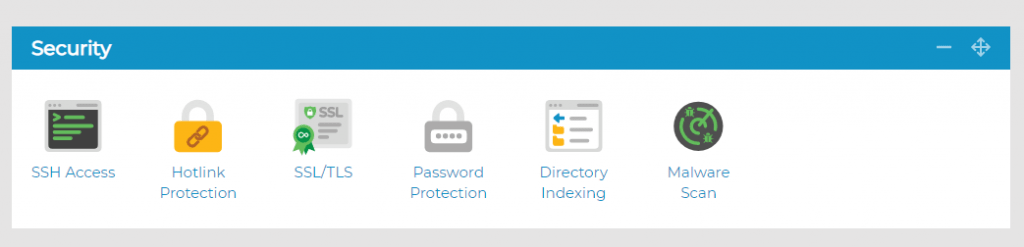
2. Under Security, click on the SSL/TLS icon
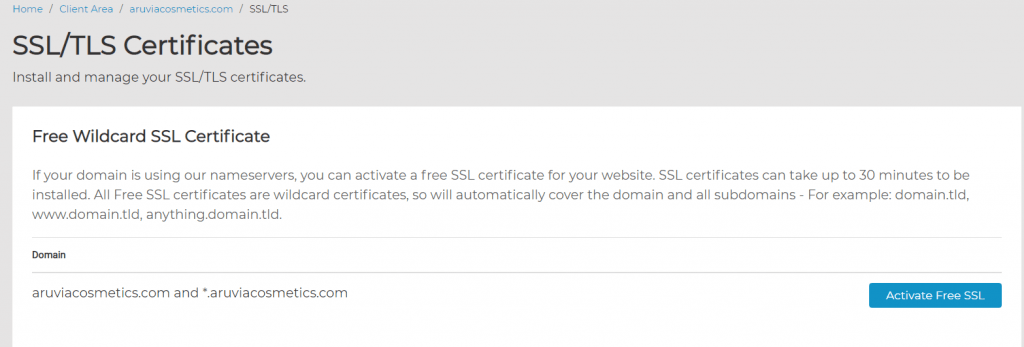
3. You will then see your domain name and an option to Activate Free SSL next to it – select this and the SSL will be applied to your domain
If you’d like all your visitors to use SSL connections (i.e. for HTTPS to always be used), simply select the Enable Forced HTTPS option at the bottom of the page:

Once the SSL Certificate has been activated, it will take up to 30 minutes to secure your website. This is due to the changes needed to be made on our load balancers.
That’s all!
Why should you use Forced HTTPS on your website? #
Using HTTPS instead of HTTP means that communication between your browser and a website is encrypted via the use of an SSL (Secure Socket Layer).
Even if your website doesn’t handle sensitive data, it’s a good idea to make sure your website loads securely over HTTPS. It’s now becoming a requirement for many new browser features as well as potentially having an impact on search engine rankings.
To make sure your website loads securely, you need to make sure that it is prefixed with HTTPS instead of HTTP. This can be done in a few different ways. Outlined below are the most common ways to do this.
Use the Force HTTPS tool (explained above)
- Login to my.kobopress.com and head to Manage Hosting and select Manage on the package you want to force HTTPS for.
- Select the SSL/TLS icon.
- Select Enable Force HTTPS. This will redirect website users to HTTPS. As long as the website has an SSL certificate and all content loads via HTTPS, the site should show as secure.
Using a .htaccess file
Another way that has the potential for more specific configuration is to use a .htaccess file rule. If you don’t have a .htaccess file, you can create one via FTP or File Manager and then add the code:
RewriteEngine On

RewriteCond %{env:HTTPS} !on

RewriteRule ^(.*)$ https://www.example.com/$1 [R,L]
If you already have a .htaccess file then make sure you don’t duplicate the line: RewriteEngine On
If after enabling force HTTPS the website shows insecure, then you’ll need to make sure that:
- You have an SSL certificate on the site
- You don’t have mixed content.

