
When you create a hosting package and assign it to your domain, you will be able to manage it right from your Kobopress control panel interface.
Here, you will have access to tools that will enable you do things like installing and managing your WordPress application, installing or activating SSL certificate, taking backups, managing website files, emails, domains, website optimization, PHP and CDN settings, etc.
Follow these simple steps whenever you want to manage your apps (hosting packages):
1. Click Client Area from your Kobopress Control Panel: https://my.kobopress.com/manage
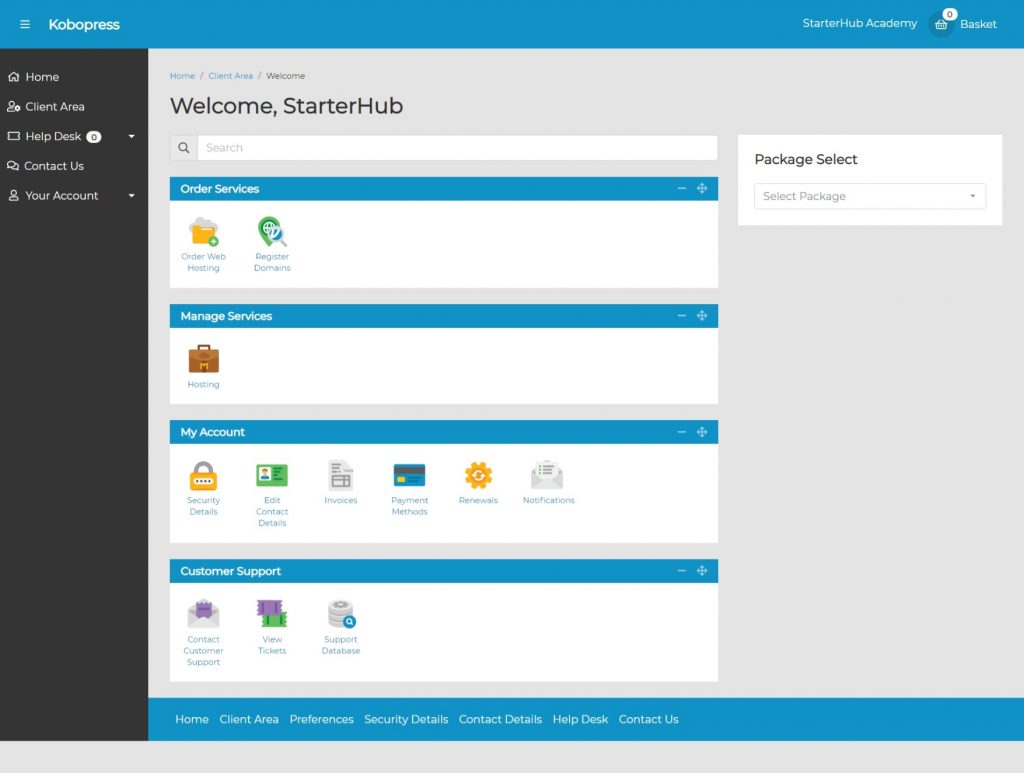
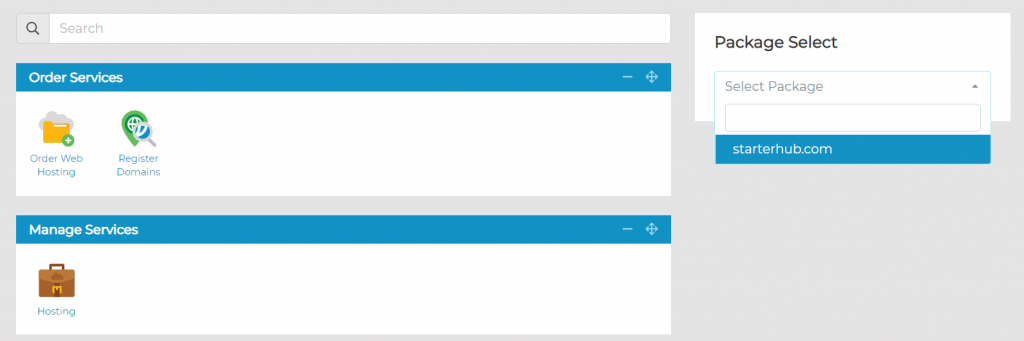
2. You can directly select the app (domain) from Package Select (right sidebar); or click the Hosting icon under Manage Services
3. A list of services you can configure on your app (domain) will be displayed, grouped under different categories:
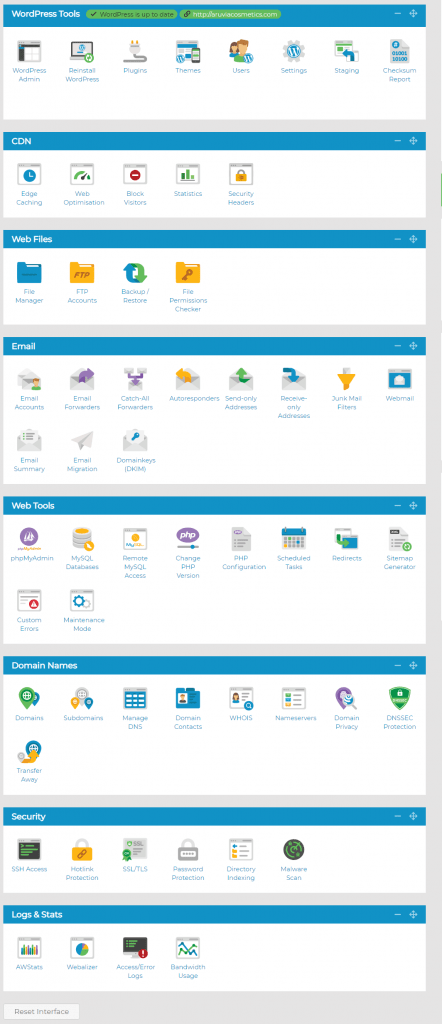
4. That’s it. You can choose any service you want to apply by clicking on it.
Note: You must create a hosting package and assign a domain to it before you can access all available services.

